
AI Reply Tool for X Communities — Build Reputation Without the Grind
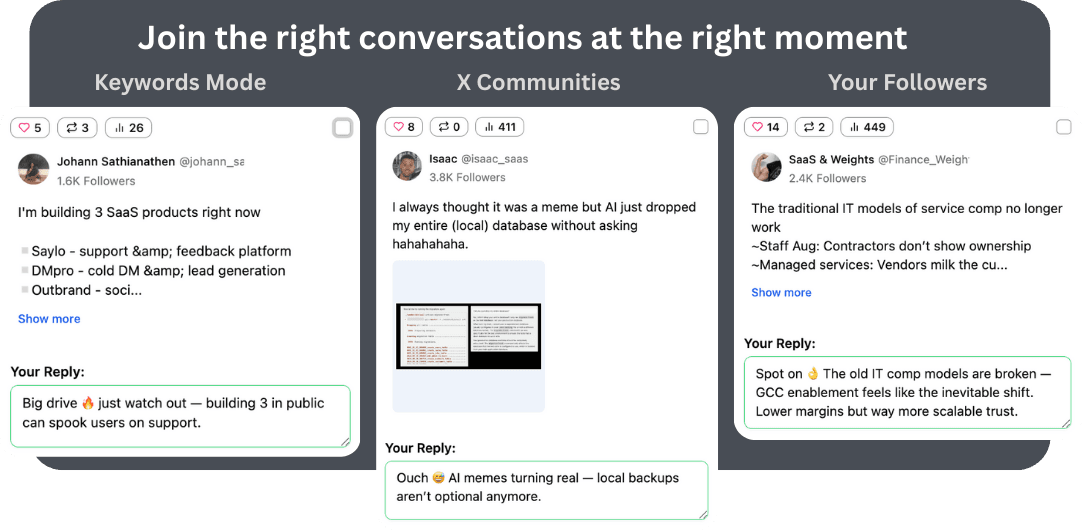
X Communities are where the most engaged users in your niche hang out. XJumper Smart Reply monitors community discussions and generates natural, contextual replies — helping you become a recognized voice without spending hours scrolling.
Why Use AI Replies in X Communities?
X Communities are high-trust, high-engagement. Being consistently helpful here builds reputation faster than the open timeline.
XJumper's Community Auto Reply monitors your communities and drafts AI-powered replies that match the context — so you stay visible without the grind.
High-Trust Environment
Community members trust replies from active participants more than random timeline engagement
Time Savings
Monitor multiple communities simultaneously instead of checking each one manually
Reputation Building
Consistent, helpful replies make you a recognized voice in the community
Community Auto Reply Workflow
How XJumper monitors and engages in X Communities for you.
1. Add Your Target Communities
Enter the X Community URLs you want to monitor. XJumper tracks new posts and active discussions in each community.
2. AI Reads and Drafts
When a relevant discussion appears, the AI reads the full thread context and drafts a reply that adds value — not generic praise or one-liners.
3. Review and Engage
Review AI drafts, edit for personal touch if needed, then approve. XJumper spaces your replies naturally across communities to avoid appearing spammy.
Community Engagement Best Practices
How to get the most value from community auto reply.
Add Value, Don't Promote
Community members can spot self-promotion instantly. Focus replies on being genuinely helpful. Your profile link and bio do the selling when people click through.
Match the Community Tone
Each community has its own vibe — some are casual, others professional. Configure your AI voice settings per community for the most natural engagement.
Reply to Questions and Debates
Questions and discussion threads get the most visibility. Prioritize replying to these over announcements or link-shares for maximum impression per reply.
Combine with Community Posting
Don't just reply — post original content in communities too. Use XJumper's AI Post Generator to create community-specific posts that complement your replies.
Auto Reply Safety & Quality Controls
XJumper is designed with account safety as a priority. Multiple safeguards ensure your auto replies look natural and protect your account from rate limits.
Rate Limiting & Pacing
- Configurable daily reply limits
- Randomized delays between replies (60s-300s)
- Cooldown periods after bursts
- Quiet hours scheduling
Quality & Authenticity
- AI-generated contextual replies (not templates)
- Brand voice and tone settings
- Banned phrases and content filters
- Optional manual approval before posting
Maximize Smart Reply with Other Features
Auto reply works best as part of a complete engagement strategy. Combine with XJumper's other tools for maximum impact.
Smart Follow
Follow the accounts you reply to for higher follow-back rates. Reply + Follow is the strongest growth combo.
Learn more →AI Post Generator
Create compelling content that makes people visit your profile after seeing your replies.
Learn more →Smart Analytics
Track which replies drive the most profile visits and follows to optimize your engagement strategy.
Learn more →FAQ
Start Building Your Community Reputation
Monitor X Communities, draft AI replies, and become a recognized voice in your niche — without the daily grind.
Try Community Replies Free